How to Share Claude Artifacts (and Let Other People Edit Them)
How to share Claude artifacts: the Share steps, what Can view, Commenter and Can edit allow, and what to do when collaborators use other agents.
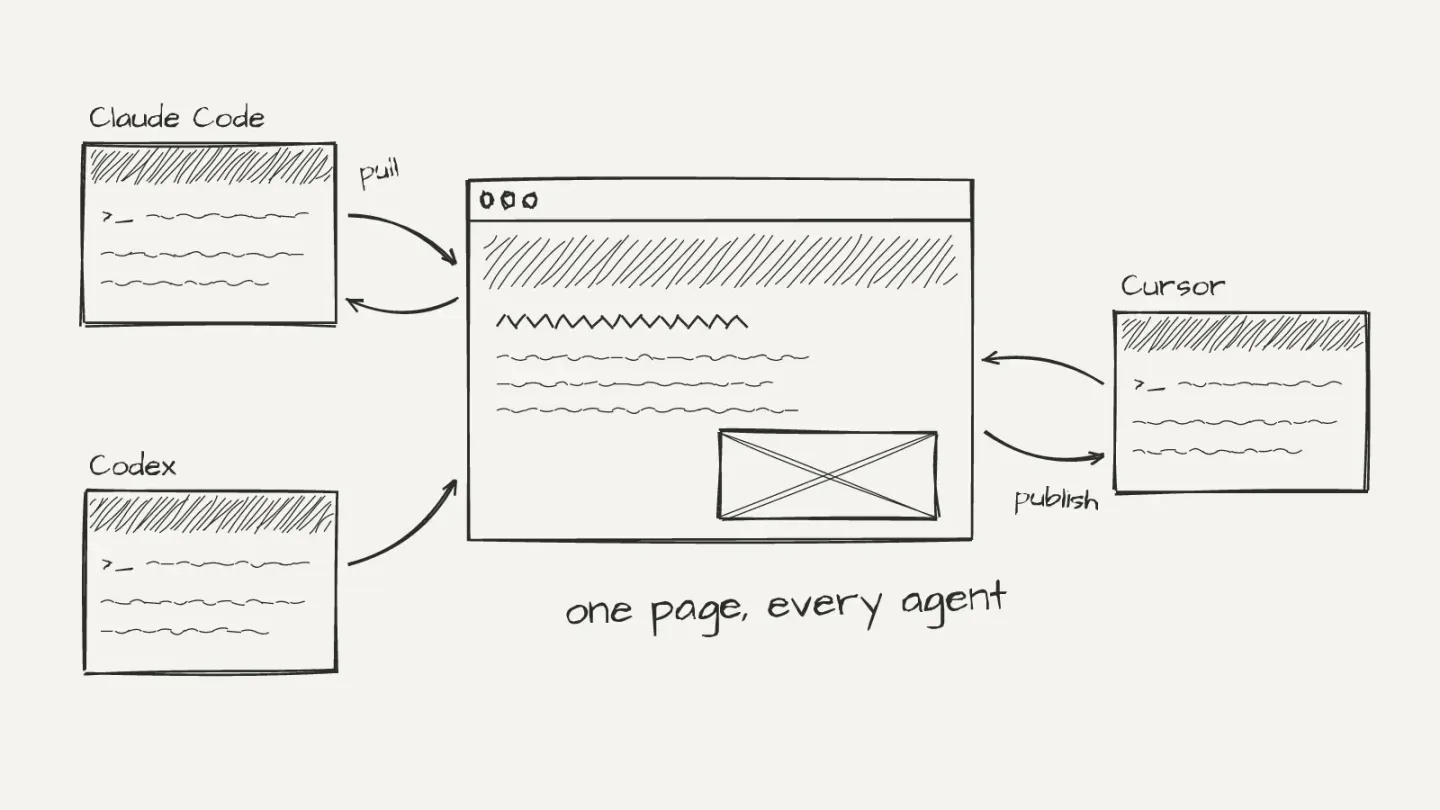
I live in Claude Code and Codex, and most weeks I end up with an HTML page I need someone else to see. A tracker. A trip plan. A prototype for a design review.
Making the page is the easy part now. Sharing it so other people can change it is where it gets messy.
Here's how to share Claude artifacts today, what each access level actually lets people do, and what to do when the people you share with don't use Claude.
How to share a Claude artifact in four steps
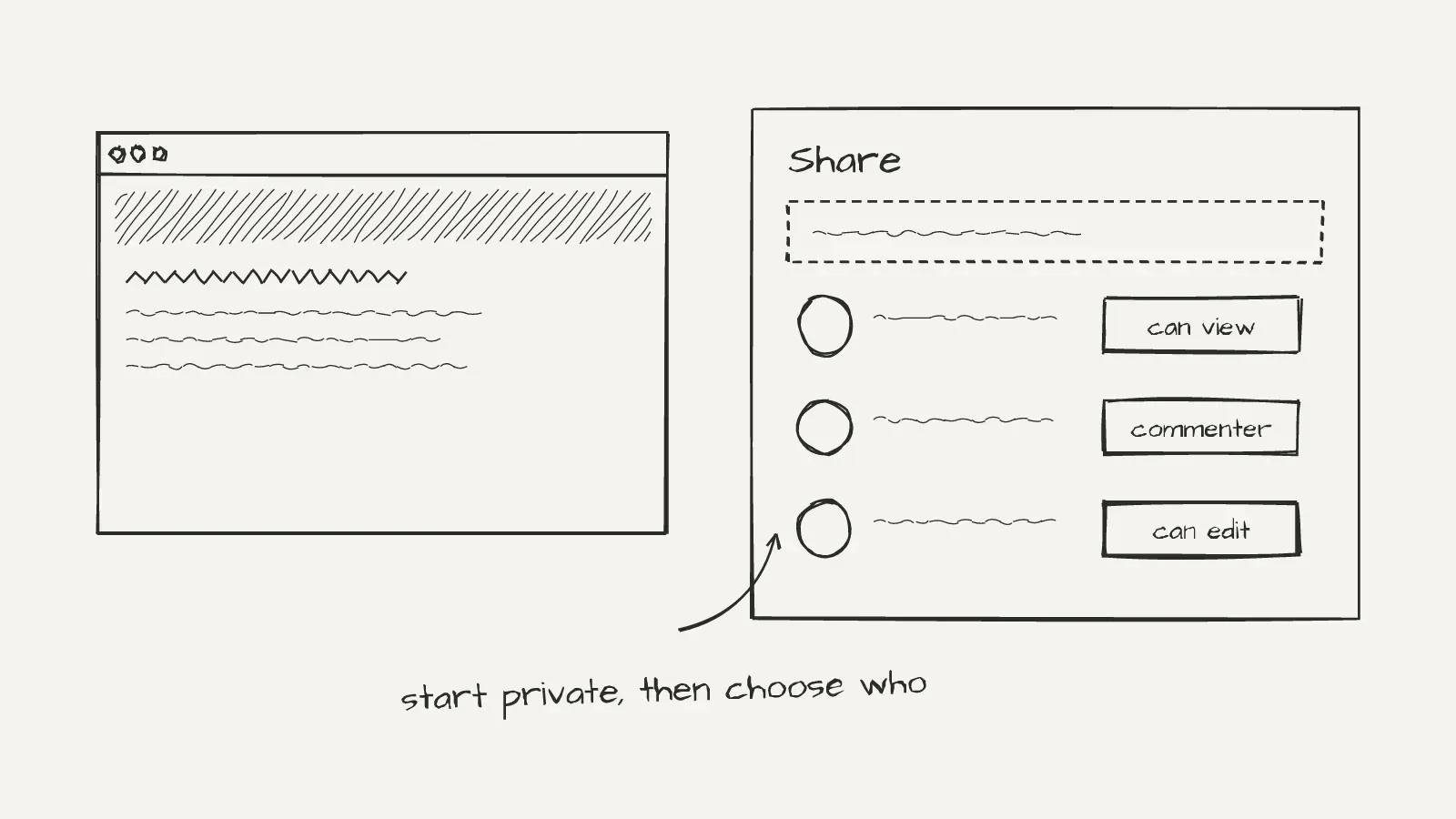
To share a Claude artifact, open it, click Share, choose who has access, then pick an access level and copy the link.
- Open the artifact from your chat or from the Artifacts tab in the sidebar.
- Click Share.
- Under who has access, pick one: only you, anyone with the link, people in your organization, or specific people by email.
- Pick the access level: Can view, Commenter or Can edit. Copy the link.
Artifacts start private. Nothing is shared until you change who has access.
You can only change sharing on the web or in Claude Desktop. The iOS and Android apps can't do it.
If your artifact was made in a chat before 16 September 2026, it's a legacy artifact. You'll see Publish on Free, Pro and Max, or Share & copy link on Team and Enterprise, instead of Share. Publishing gives it a link and lets you embed it on other sites.
What Can view, Commenter and Can edit let people do
Can view lets people open the artifact and read its comments. Commenter adds commenting and downloading any files the artifact offers. Can edit adds making changes.
Some artifacts only offer two levels, Can view or Can edit. Everything else gets all three.
Inviting specific people by email is in beta on Pro, Max, Team and Enterprise. They sign in to Claude with that exact address. The invite works only for them, unlike a link that anyone can forward.
People you invite from outside your organization get less than you'd expect:
- Parts of the artifact that use Claude or your connectors don't work for them.
- With Can edit, they can't delete the artifact and can upload only images and video.
- They can't mention people or ask Claude in a comment.
- If the artifact is also shared with anyone who has the link, they get the link's access, whatever level you gave them.
On Team and Enterprise plans, artifacts stay inside your organization by default. An owner decides whether anyone can share outside it.
Rule of thumb: if the other person only needs to look, use Can view. If they need to point at things, use Commenter. Use Can edit only for people who'll actually change it.
When Claude's sharing is enough, and where it stops
If everyone who needs to edit the page works in Claude, use Can edit and you're done. Simplest setup there is.
But it stops working in three places.
The first is other agents. Say your co-founder works in Codex, or the friend you're planning a trip with uses Cursor. Their agent has no way to open your Claude artifact and push a change back into it.
The second is pages that live as files. When Claude Code builds you an index.html with a folder of images, that's a project on your machine. People who want to change it with their own tools need the files, not a link.
The third is outside collaborators. If the page calls Claude or your connectors, those parts don't work for anyone you invited from outside your organization.
Export the HTML and host it yourself
If people only need to look, export the HTML and put it on a static host. You get a plain URL anyone can open without a Claude account.
This works well for a client preview, a page you want to embed, or a link in a newsletter. GitHub Pages or any drag-and-drop host will do.
So far so good. The catch shows up the moment a second person wants to change it.
Here's how it usually goes. You send tracker.html on Slack. Your co-founder asks their agent to update six rows and sends back tracker (2).html. But you'd already changed yours. Now there are two versions of the truth, and someone has to merge them by hand.
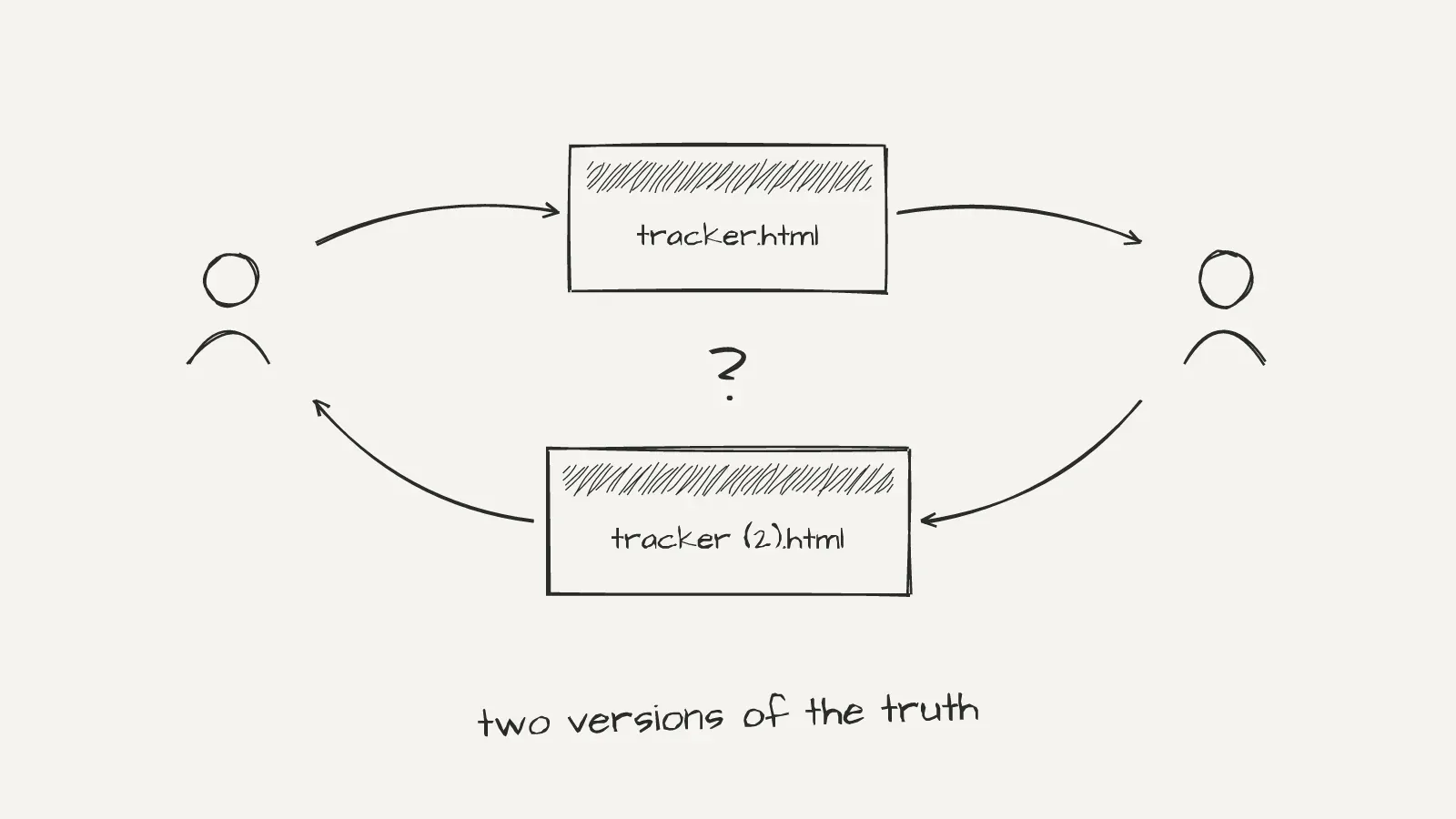
Do that forty times over a long project and the page stops being something you trust.
A link fixes reading. It doesn't fix editing.
Let every collaborator's agent edit the same page
The fix is one link that everyone's own agent can pull from and publish back to. Each person keeps their agent and their way of working. The page stays one page.
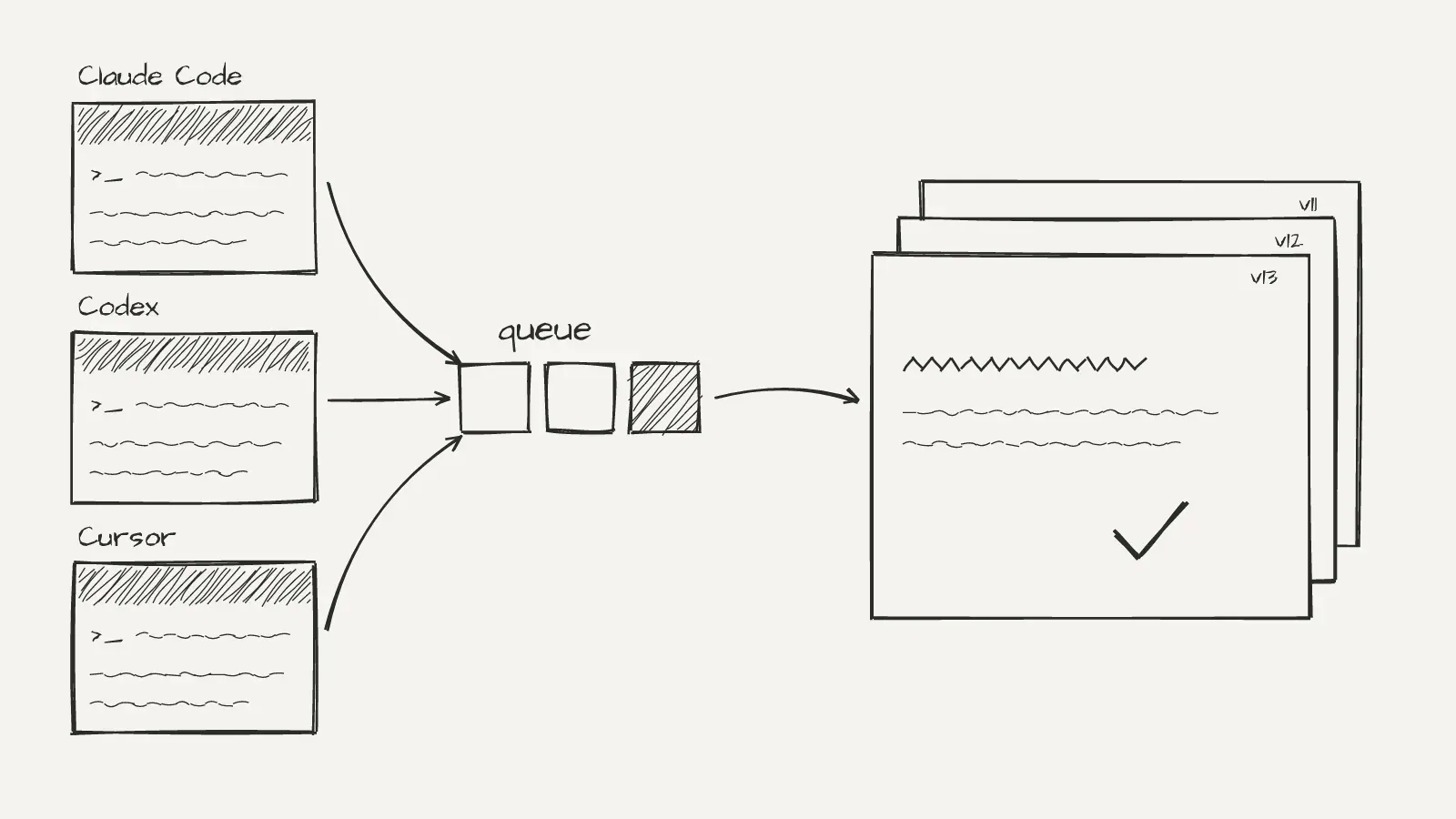
This is why I'm building Intraface. Here's how it works:
- You turn the HTML page into a board and share its link.
- Each person pastes the link into their own coding agent: Claude Code, Codex, Copilot, Cursor or Gemini CLI.
- Their agent pulls the page, its images and a
collab.mdfile with the board's house rules, then edits a local copy and previews it. - They publish. Publishes queue up one at a time per board and merge onto the latest version, so two edits made at the same moment don't overwrite each other.
Every version keeps who made it and with which agent, so you can compare any two or roll back. People pin comments to parts of the page, and agents read and resolve them in their next publish.
No locks. No live cursors. Everyone works alone and publishes when they are ready. I made this choice on purpose. Agents work best on their own copy.
Intraface is in private beta, and you can join the waitlist. Agents use the CLI today: npx intraface pull <board link>, edit, then npx intraface publish -m "what changed". An MCP server for agents that cannot run commands is coming.
Which option to pick
Pick based on who needs to change the page and what they use:
- Everyone is in Claude and needs to edit: Claude's Share with Can edit.
- People only need to look or comment: Claude's Share with Can view or Commenter, or a static host if they don't have a Claude account.
- Several people on different agents change one page over weeks: a shared board.
- The page has anything sensitive: keep it invite-only, and check what else you're sharing. A legacy chat artifact shared on Team and Enterprise also exposes the chat's attachments.
FAQ
How do I get a public link for a Claude artifact?
Open the artifact, click Share and set who has access to anyone with the link. On Team and Enterprise plans an owner may have turned off sharing outside the organization. For older chat artifacts, use Publish instead.
What is the difference between sharing and publishing a Claude artifact?
Share is the current flow, with access levels and email invites. Publish is how legacy artifacts made in a chat get a link. Unpublishing is permanent: you can't publish that artifact again, and its stored data is deleted.
Can another AI agent edit my Claude artifact?
Not directly. Editing a shared Claude artifact happens in Claude. If your collaborators use Codex, Cursor or Copilot, export the HTML and use a shared board their agents can pull from and publish to.
How do I stop sharing a Claude artifact?
Open it, click Share and set who has access back to only you on Pro and Max, or only people invited on Team and Enterprise. To remove one person, open their access level and choose Remove.
What is a Claude artifact?
It's anything Claude makes that you'd put in front of someone: a document, a deck, a dashboard, a single-page website or a small interactive tool. It opens beside your conversation and you can edit, export and share it. Anthropic's guide lists code snippets, documents, diagrams, visualizations, React components and single-page HTML websites as common examples.
Sharing a page is solved. Editing one together, across different agents, is what I'm building Intraface for.
Cheers.